
Overlay
Gear Planner
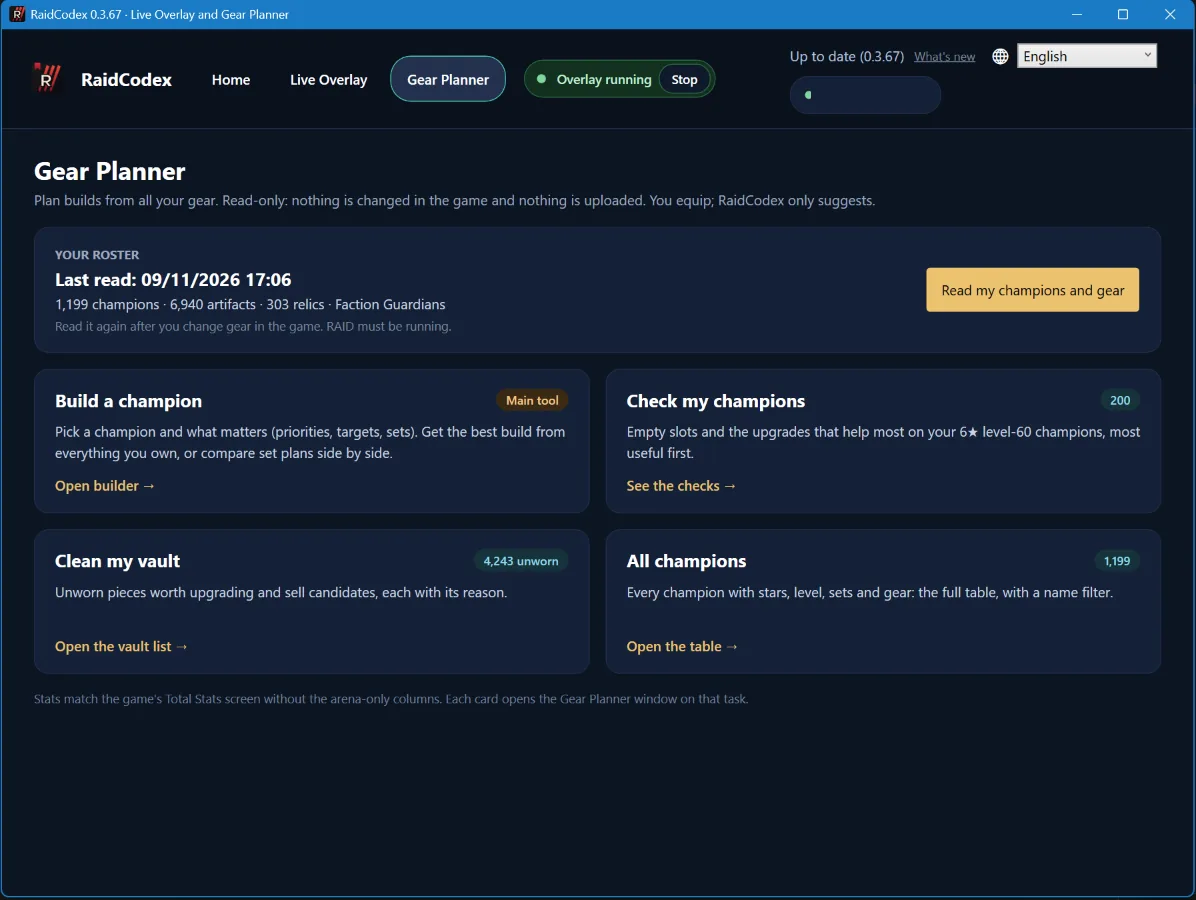
The Gear Planner is part of the free RaidCodex Overlay for Windows. It reads your champions, artifacts, relics and Faction Guardians from the running game, then finds the best build from everything you own: your vault, the gear on every other champion and your relics. It only suggests: you equip the pieces in the game yourself.
Written for overlay version 0.3.67. What changed since: What’s new in the RaidCodex Overlay.
What it does
- Build a champion: pick a champion and what matters, and get the best build from all your gear, with every piece to move.
- Compare set plans: try several set plans side by side, for example 9 pieces of Mercurial against a Protection plan, and see which one wins.
- Check my champions: empty slots and the upgrades that help most on your 6★ level-60 champions, most useful first.
- Clean my vault: unworn pieces worth upgrading and sell candidates, each with its reason.
- All champions: every champion with stars, level, sets and gear in one table, with a name filter.
Build a champion
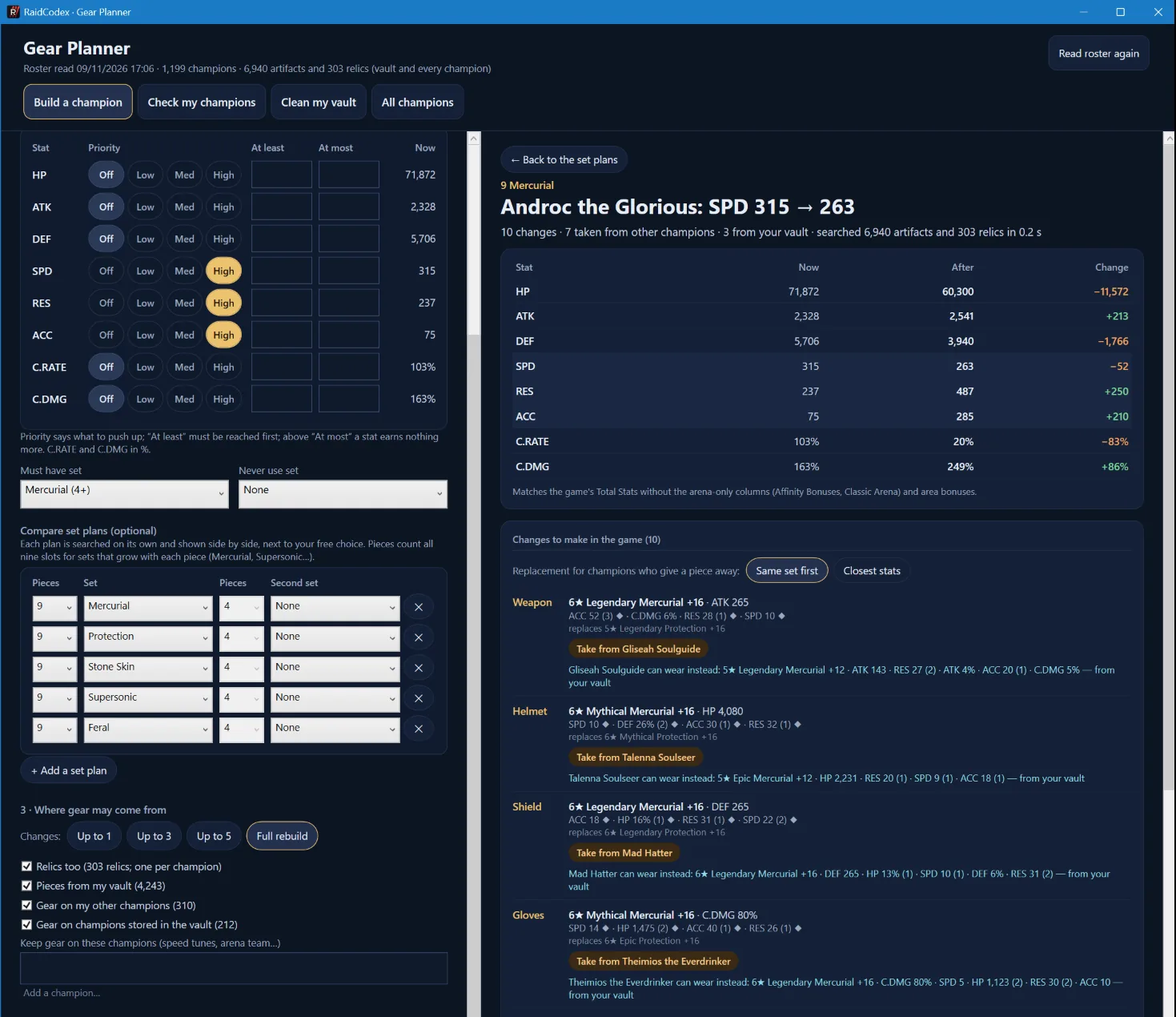
- Search for the champion. Duplicates show their stars, level and awakening, so you can pick the right copy.
- For each stat, choose how much it matters, from off to high. You can also set a minimum (“at least”) and a maximum (“at most”): minimums are reached first, and above a maximum a stat earns nothing more.
- Choose a set that must be in the build, or a set never to use.
- Choose where gear may come from: your vault, gear on your other champions, gear on champions stored in the vault, and relics. You can keep the gear of champions you name, such as a speed-tuned team.
- Limit the changes to 1, 3 or 5 pieces, or allow a full rebuild.
The result shows the stats now and after, and every change to make: which piece, and from which champion. For each champion who gives a piece away it suggests a replacement from your vault, either from the same set first or with the closest stats.
Compare set plans
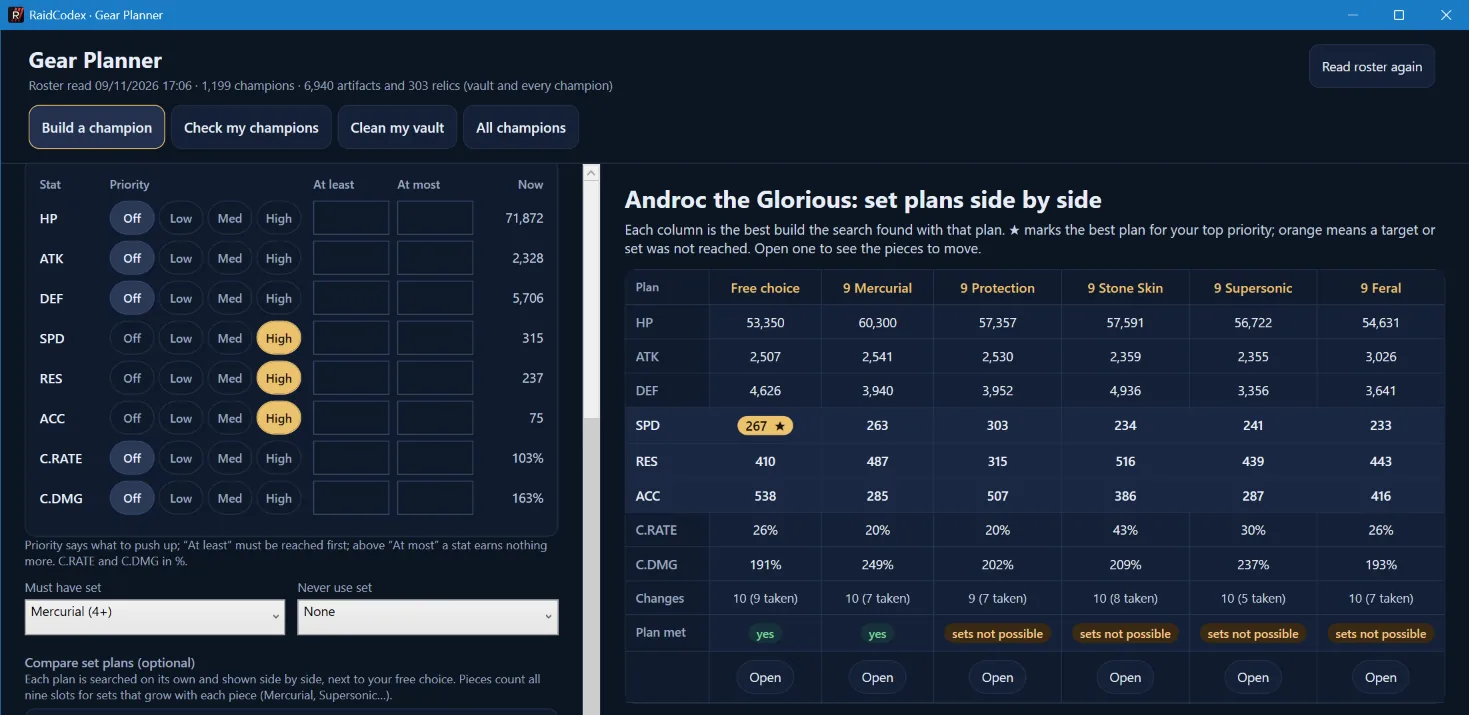
Add set plans and press Compare set plans. Each plan is searched on its own and shown in a table next to the free choice. A star marks the best plan for your top priority, and a plan your gear cannot complete says so. Open any column to see its pieces.
Stats that match the game
The numbers match the game’s Total Stats screen for the champion. They count:
- artifacts and accessories: main stat, substats with their glyphs, and the ascension bonus;
- set bonuses, including Lore of Steel;
- masteries;
- awakening, once a blessing is chosen;
- relics;
- champion empowerment;
- Faction Guardians.
Not counted: the arena-only columns (Affinity Bonuses, Classic Arena) and area bonuses.
How to use it
- Get the RaidCodex Overlay, version 0.3.67 or later, from the overlay page.
- Open RAID on its main screen, not in a battle.
- In the overlay, open Gear Planner and press Read my champions and gear. It takes about a minute.
- Pick a task. Read your roster again after you change gear in the game.
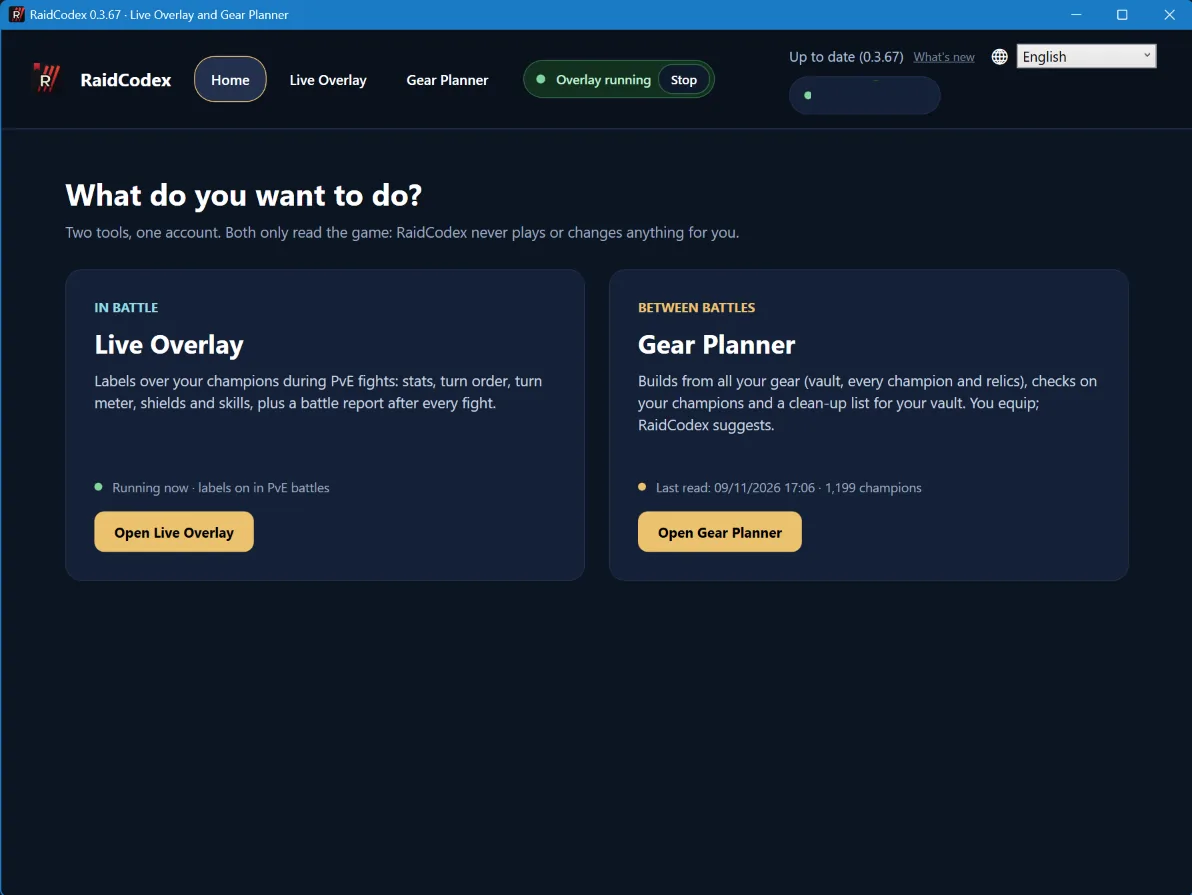
The Gear Planner and the Live Overlay run at the same time, so you can plan builds while the overlay is on.
Privacy and safety
- It only reads. It never equips, sells or changes anything in the game.
- Your roster read stays on your PC. Nothing from it is uploaded.
- It never asks for your Plarium login.
Questions
- Is it free?
- Yes. The Gear Planner comes with the free RaidCodex Overlay. You need a free RaidCodex account to download it.
- Does it equip the gear for me?
- No. It shows what to move; you equip the pieces in the game.
- A number differs from the game. Why?
- Read your roster again after your last gear change. Arena-only bonuses and area bonuses are not counted.
More about the overlay: Overlay guide · What’s new
RaidCodex is an independent fan project. It is not made, endorsed or supported by Plarium. Using third-party tools is at your own risk under Plarium’s terms.